
Club PKR Game Login
Signing into Club PKR usually takes just a few seconds. Now and then the OTP drags or the password won’t come to mind – it happens to us all.
Below is everything you need – signing in, resetting a password, fixing common errors, and keeping your account secure. Want the games and payments first? Have a look at the Club PKR home page.
The Quick Basics
| Item | Detail |
|---|---|
| Log In With | Registered mobile number (or email) + password |
| OTP Login | A one-time SMS code instead of your password |
| Lost Password | Recover it on the sign-in screen via OTP |
| Transaction Password | A separate code only for withdrawals |
| Works On | The app, plus any browser on PC and iPhone |
| Time | Usually under a minute |
| Support | 24/7 in-app chat, Urdu and English |
Why Logging In Matters
Logging in is more than a step – it opens your entire account. Once you’re in, you have:
- Your PKR wallet – balance, winnings, and bonus credit.
- Every game – cards, slots, crash, fishing, and live tables.
- Deposits and withdrawals – shift money through JazzCash or Easypaisa.
- Daily bonuses – the login rewards and red packets tied to your account.
- Referral and VIP – follow your invites and level progress.
- Your history – past games and transactions.
How to Log In
It’s quick, truthfully:
- Launch the Club PKR app, or open the site in a browser.
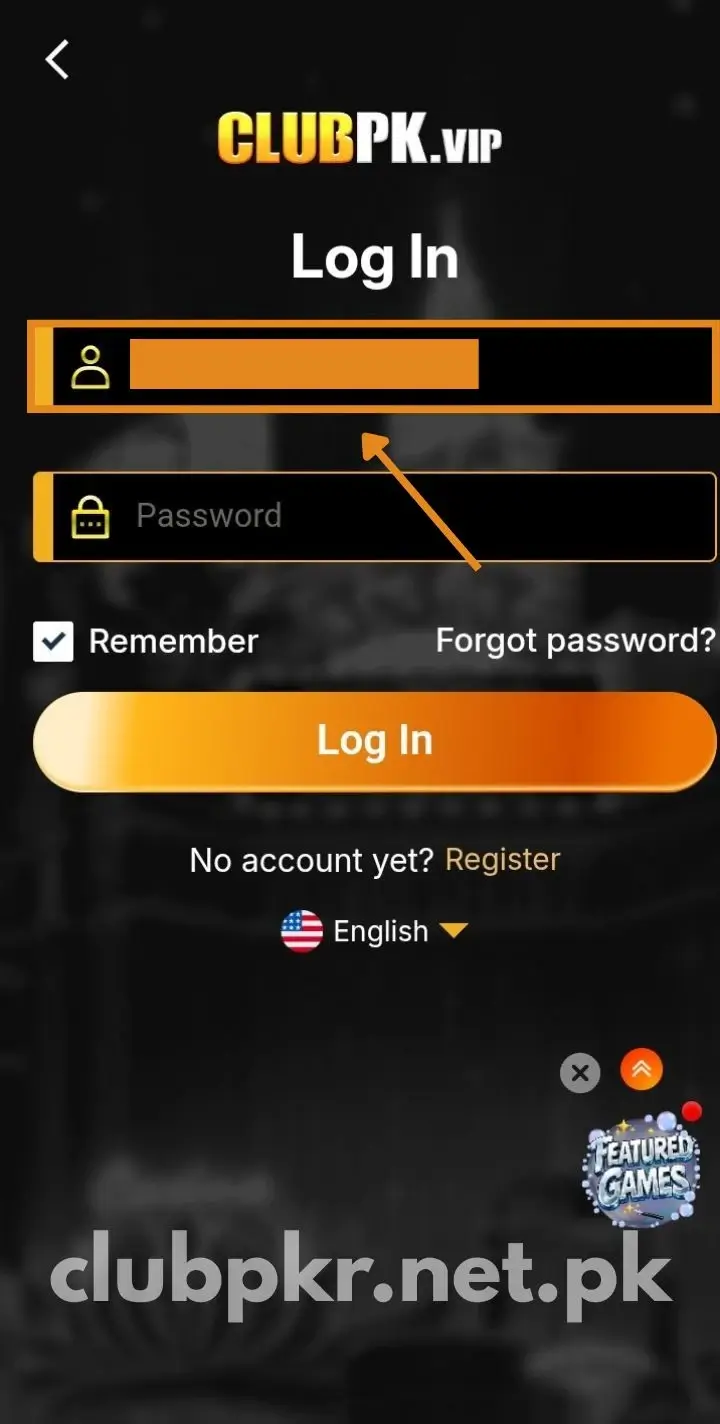
- Tap Login.
- Put in your registered mobile number (the one from sign-up).
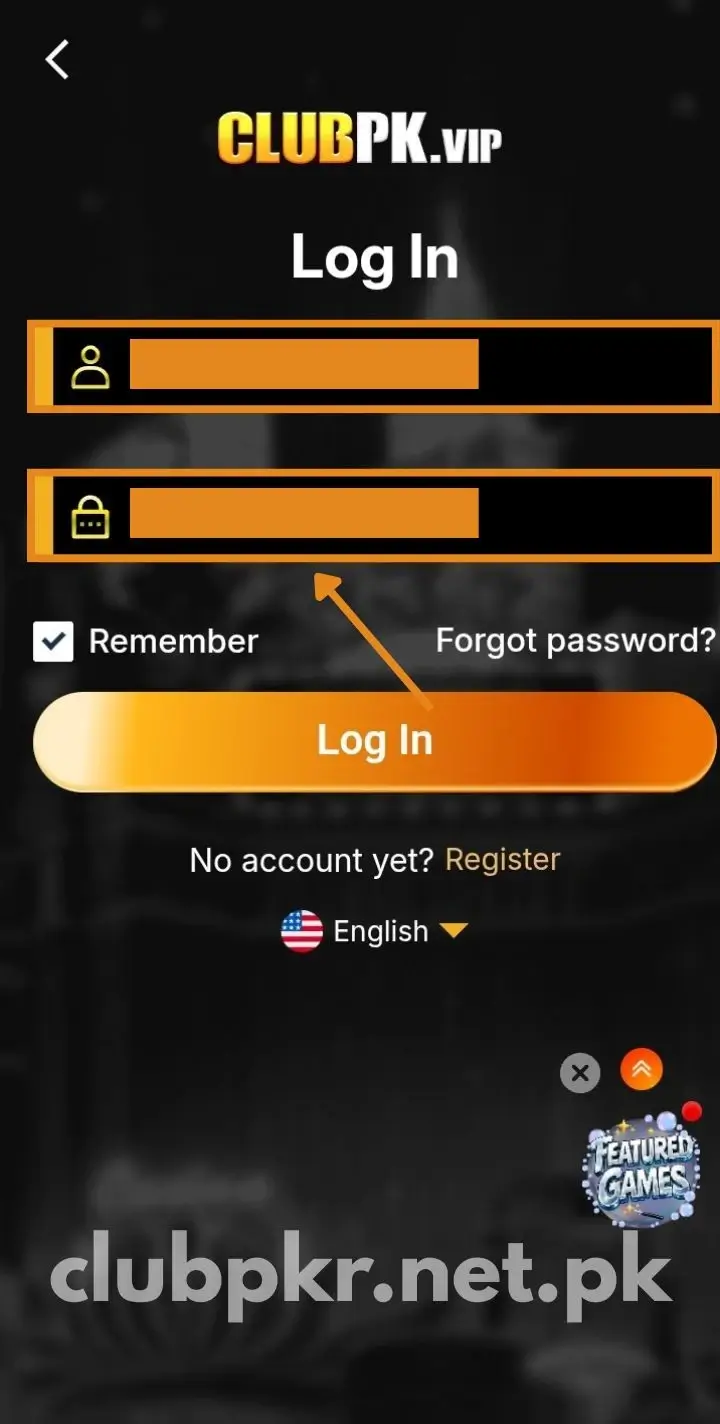
- Enter your password – or tap “Login with OTP” to get an SMS code instead.
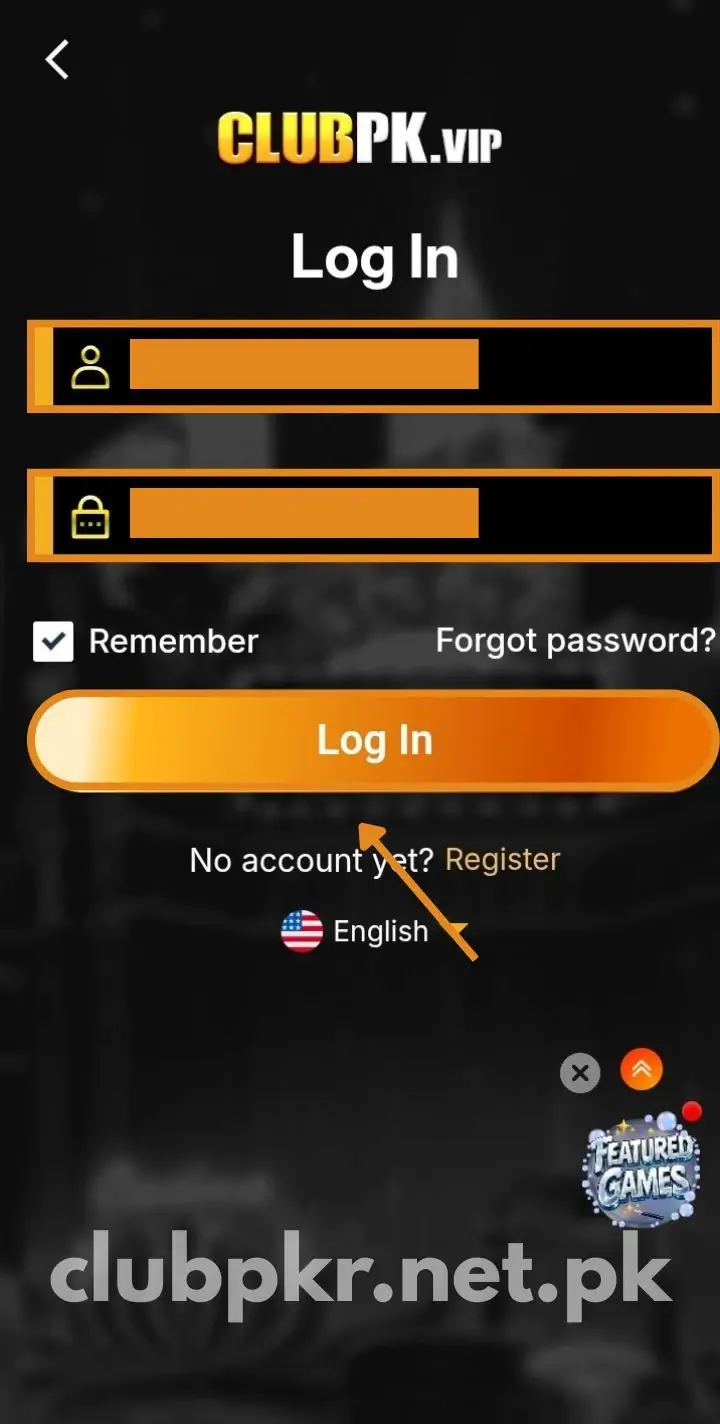
- Press Login and your dashboard opens, ready to play.
Not registered yet? Start on the registration page.
Forgot Your Password? No Stress
It’s a common one. Here’s the way back:
- Hit “Forgot Password” on the sign-in screen.
- Enter your registered mobile number (or email).
- Confirm the OTP texted to your number.
- Choose a new strong password and store it safely.
- Sign back in with the new one.
If the code is slow to arrive, give it a minute before requesting another.
Login and Transaction Passwords
One thing many new players miss – Club PKR uses two separate passwords:
- Login password – opens your account.
- Transaction password – approves withdrawals, guarding your money.
Keep the two distinct, and share neither with anyone – not even support.
An OTP on Every Login
For safety, Club PKR sends a fresh OTP each time you sign in:
- The code changes every login, so a leaked one is useless later.
- Only you can approve access to your wallet.
- Never share the OTP – the real team will never ask for it.
Logging In on PC and iPhone
Off Android? No problem – there’s no native iOS app, but the browser version has you covered:
- Load the browser version on your PC or iPhone.
- Log in as usual with your number and password.
- Deposit and withdraw there as well – both work in-browser.
Across any device, your account, balance, and bonuses are the same. Just sign in with the same registered number each time.
When Login Won’t Work
If you’ve hit a wall, it’s usually one of these – and each has an easy fix:
- Wrong password – check caps lock and retry; if you reset it recently, use the newer one.
- OTP not coming – usually a weak signal or slow SMS. Change networks, wait a minute, and resend.
- Expired OTP – request a fresh code and enter it promptly.
- Account locked – too many failed tries can lock it briefly; wait a bit, then reset your password.
- Login page not loading – clear the app cache, check your internet, and update the app.
- Changed phone or lost your device – reinstall and sign in with the same number; recover through OTP.
- No luck yet? – message the 24/7 in-app support chat; they clear login issues fast.
Changing Your Registered Number
Your mobile number doubles as your login ID, so it can’t be swapped casually:
- Need to change it – a lost SIM, perhaps – reach customer support via the in-app chat.
- Confirm your identity when prompted.
- They’ll change it securely and walk you through the rest.
Keeping Your Account Safe
There’s real money tied up in this account, so look after it:
- Use a strong password – mix letters, numbers, and a symbol – and don’t reuse one from another site.
- Keep your number, password, and OTP private – even from a message posing as support.
- Avoid public WiFi when logging in, particularly before a deposit or withdrawal.
- Check your login activity – if you spot an unknown device, change your password at once.
- Confirm you’re on the real app or site, not a copycat.
Last Word
Enter the right details and you’re inside Club PKR within seconds. And if the password slips your mind, the reset takes about a minute.
Snagged on something else? Support is on hand all day over in-app chat. Still need the app? Grab it from the download page.
FAQs
What do I need to log in to Club PKR? Just your registered mobile number (or email) and password. You can also use OTP login to get a code by SMS instead.
Can I log in without my phone number? No. Your mobile number acts as your login ID, so you need the one you signed up with.
Why isn’t my OTP arriving? Normally a weak signal or slow SMS. Check the number, change networks, and resend the code after a minute.
Why do I get an OTP every time I log in? That’s a security feature. The code changes on each login, so even a leaked OTP can’t be reused to access your account.
I forgot my password – how do I reset it? Hit “Forgot Password” on the sign-in screen, enter your registered number, confirm the OTP, then create a new password.
What if I change my phone or lose my device? Reinstall Club PKR and log in with the same registered number – OTP verification recovers your account.
Why is my account locked? Too many failed login attempts can trigger a temporary lock. Wait a while, then reset your password. Contact support if it persists.
Can I change my registered mobile number? Not on your own. Reach customer support via the in-app chat and they’ll update it securely for you.
What’s the difference between login and transaction password? The login password opens your account; the transaction password is separate and secures your money at withdrawal.
Can I log in on iPhone or PC? Yes. There’s no native iOS app, but the browser version supports full login and play on iPhone and PC alike.
Is it safe to log in on public WiFi? It’s encrypted, but it’s safer to skip public WiFi for login – especially around a deposit or withdrawal. Stick to mobile data.